Free tool + conventions · No signup · Nothing leaves your browser

Free UTM Campaign URL Builder (With Team Conventions)

Every marketing team builds UTM links. Very few build them the same way twice. Someone writes utm_source=LinkedIn, someone else writes linkedin, a third person pastes a link from a Slack message they can't edit — and six months later nobody can answer "which channel actually drove the demo?" because the source report has eleven flavours of the same word.

This free UTM builder fixes the second half of that problem: it generates clean, correctly formatted UTM tracking links every time. And because a tool alone doesn't stop the spelling drift, it comes with the conventions we use ourselves — a naming system your whole team can copy. Use the builder below, steal the conventions table, and download the free template if you prefer working in a spreadsheet. If you'd rather never build a UTM link by hand again, Digenio's dashboards tag and read campaign parameters automatically — but more on that at the end.

The UTM builder

Paste a destination URL, pick your values, copy the link. Free-text fields auto-lowercase and hyphenate; switch the toggle off to keep values exactly as typed (advanced). Nothing is sent to a server.

The page your campaign sends traffic to — usually a landing page you've already checked.
Where the link lives: lowercase, no spaces.
Channel type: one of 5–7 allowed values.
Your internal code: lowercase, hyphens, date-stamped.
Only if you'll compare keywords (paid search).
Only if you'll compare creatives or placements (A/B tests).
Your tagged URL
Fill in the fields — your campaign link appears here, live.
Test
Quick presets

What this tool/template does

Three things, deliberately boring and deliberately effective:

  1. Builds — paste your destination URL, fill in the five standard fields (source, medium, campaign, term, content), get a correctly encoded link with one click. No sign-up, no watermark, nothing sent to a server.
  2. Standardises — the field labels double as reminders of your conventions (source: lowercase, no spaces), so every link your team generates follows the same grammar.
  3. Teaches — the worked example and conventions table below show exactly how a real campaign was tagged, so new joiners learn the system in five minutes instead of guessing forever.

It's the companion tool to our full UTM tracking guide — that's the theory, this is the muscle memory.

How to use it (step by step)

Step 1 — Paste your destination URL

Start with the page you want traffic to land on — usually a landing page you've already run through a pre-launch check. The builder keeps your path, query and anchor intact and appends the UTM parameters.

Step 2 — Set the source (where, exactly)

utm_source answers where the link physically lives. One word, lowercase, no spaces: linkedin, newsletter, partner-x. Rule: if two links would ever deserve different sources, they get different values; otherwise identical.

Step 3 — Set the medium (how broadly)

utm_medium is the channel type: email, paid-social, organic-social, cpc, referral. Keep the list to 5–7 allowed values — this is the field where teams invent the most chaos.

Step 4 — Name the campaign (your internal code)

utm_campaign is your campaign's name in the reporting: lowercase, hyphens not spaces, date-stamped if the campaign repeats. Example grammar: q4-lead-gen-2026. Put the full convention table in your wiki and link it from the builder.

Step 5 — Add term and content only when you'll compare

utm_term (keyword, for paid search) and utm_content (creative variant, for A/B tests) are optional. Rule of thumb: if you won't segment by it in a report within a month, leave it out. Untagged discipline is part of tagged discipline.

Step 6 — Copy, test, log

Copy the generated link, click it once yourself, confirm the parameters survive the redirect chain, and add it to your link log (the template below includes the log tab). A link that isn't logged is a link that will be rebuilt differently next quarter.
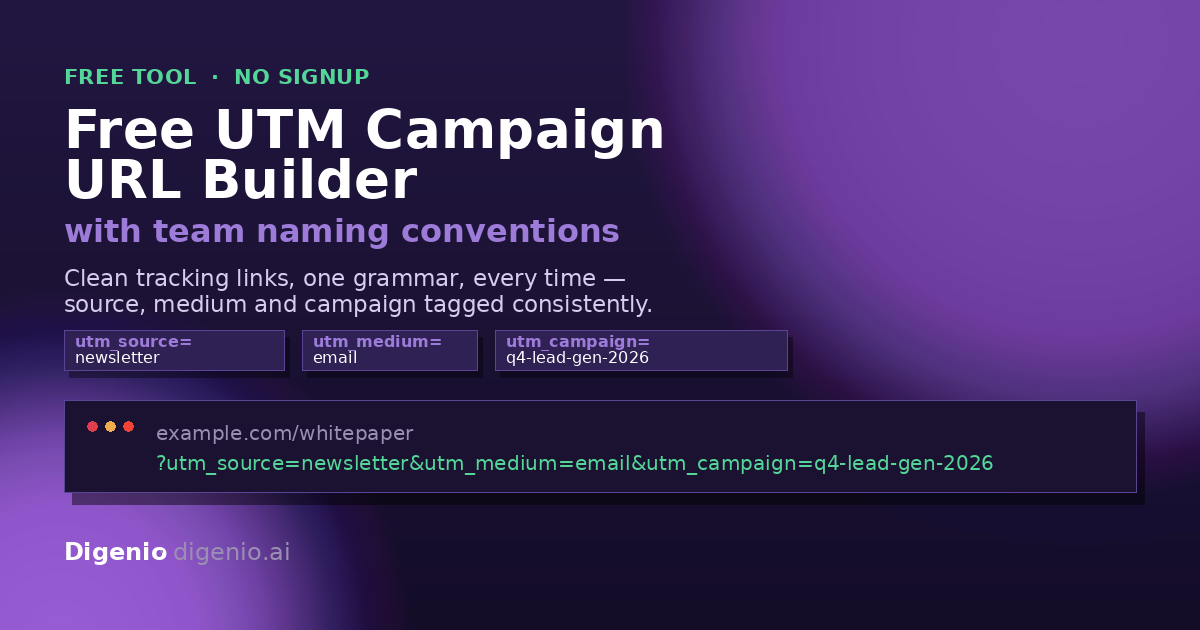
Worked example with real numbers

A B2B software team runs a November push: a whitepaper promoted in their newsletter and in two LinkedIn posts (one stat-led, one question-led). Here's how they tag all three:

Field Newsletter link LinkedIn post A LinkedIn post B
Destination/resources/whitepaper/resources/whitepaper/resources/whitepaper
utm_sourcenewsletterlinkedinlinkedin
utm_mediumemailorganic-socialorganic-social
utm_campaignq4-lead-gen-2026q4-lead-gen-2026q4-lead-gen-2026
utm_contentheader-ctastat-creativequestion-creative

Generated link (newsletter):

https://example.com/resources/whitepaper?utm_source=newsletter&utm_medium=email&utm_campaign=q4-lead-gen-2026&utm_content=header-cta

Now the quarter-end report answers everything: newsletter vs LinkedIn (medium), which creative won (content), and — once leads are scored — whether the stat-led creative just got clicks or actually got pipeline. That last question is the whole point: clean UTMs are what make tracked attribution trustworthy.

The methodology behind the conventions

The naming system baked into this builder follows five rules (the same ones in the UTM tracking guide):

  1. Lowercase everything. LinkedIn and linkedin are two sources in every analytics tool ever built. Case-insensitivity is a lie analytics tells you.
  2. Hyphens, never spaces. Spaces become %20 in URLs and garbage in reports.
  3. A closed vocabulary for source and medium. The allowed values live in one table (the downloadable template). If a value isn't in the table, you don't use it — or you add it to the table first, deliberately.
  4. Campaign names are date-stamped and shared. Every link in the same campaign uses the identical string, so the campaign report is one row, not seven.
  5. Log every link. A shared sheet (the template's second tab) with who built what, when, and where it points. When a report looks weird, the log is where you find out someone used social instead of organic-social.

Why so strict? Because attribution is only as good as its dirtiest parameter (a point every UTM hygiene guide converges on, at time of writing Nov 2026). The teams that report well aren't the ones with better analytics — they're the ones whose inputs didn't need cleaning. For what that discipline buys you in aggregate, see our marketing attribution benchmarks from 200 B2B teams.

A note on Google's own builder: Google's Campaign URL Builder (at time of writing, Nov 2026) generates the same links. Use it happily. What it doesn't give you is the conventions layer, the team log, or the worked examples — which is why this page exists.

Download the free UTM builder template (Excel + Google Sheets)

Download the team conventions template (free) — the UTM builder template (Excel) that opens straight in Google Sheets too. Three tabs: Builder log (one row per link, built before launch) · Conventions table (the five rules with examples) · Allowed values (the closed vocabulary for source and medium). Ungated: no email required, ever.

The sheet's footer carries the Digenio trial link, so the template travels with you.

FAQ

Yes — the builder runs in your browser, costs nothing, and needs no account. The downloadable naming-conventions template (Google Sheet and Excel) is free too. Digenio's paid platform is for teams who want UTMs applied and read automatically across every campaign.

A destination URL with five standard parameters (utm_source, utm_medium, utm_campaign, utm_term, utm_content) appended to it, which your analytics tool reads to credit the visit to the right campaign.

No. Use term for paid search keywords and content when you're comparing creatives or placements. If you won't segment by a parameter within a month, leave it out — fewer parameters, fewer mistakes.

Three practical steps: keep a closed vocabulary (5–7 allowed values each for source and medium), make the builder the only way links get made, and log every link in a shared sheet. Our template includes all three. Peer review of a campaign's links before launch also works wonders.

UTM parameters live in the URL itself, not in third-party cookies, so they survive cookieless browsers. The bigger risk is link shorteners or redirects stripping parameters — always test the final URL once yourself. For the broader picture see our cookieless tracking for B2B discussion in the attribution guide.

Yes — UTM parameters are the standard Google uses for custom campaign attribution (see Google's own custom-campaign documentation). Any analytics tool that reads campaign parameters — Digenio included — will read these links.

Editorial plan II (Oct–Dec 2026) · Free UTM Campaign URL Builder (With Team Conventions) · Rex Farrow 2026-11-03 · page built by Lux

Embed and share this UTM builder

Want this builder on your own intranet or wiki so nobody builds rogue links? The tool is embeddable — copy the embed code below and paste it into any page that accepts iframes. Sharing the conventions along with the builder is how the standards actually stick.

<iframe src="https://digenio.ai/resources/tools/free-utm-campaign-url-builder-with-team-conventions/?embed=1#builder"
        width="100%" height="720" style="border:1px solid #ddd;border-radius:8px"
        title="Free UTM Campaign URL Builder by Digenio"></iframe>

You're welcome to embed it free; please keep attribution and the source link. The ?embed=1 parameter strips the site chrome for a clean iframe — same mechanism as our lead scoring calculator and landing page checklist.

Stop building UTMs by hand

The builder is free forever. But if you're tagging dozens of links a week across a team, Digenio does the next step for you: campaigns are tagged automatically, every touch is attributed, and lead source flows into intelligent dashboards without a naming-convention policing meeting ever again.

Try the full Digenio platform free for 14 days → No card required

Explore the dashboards

See also: Form Intelligence · Pricing